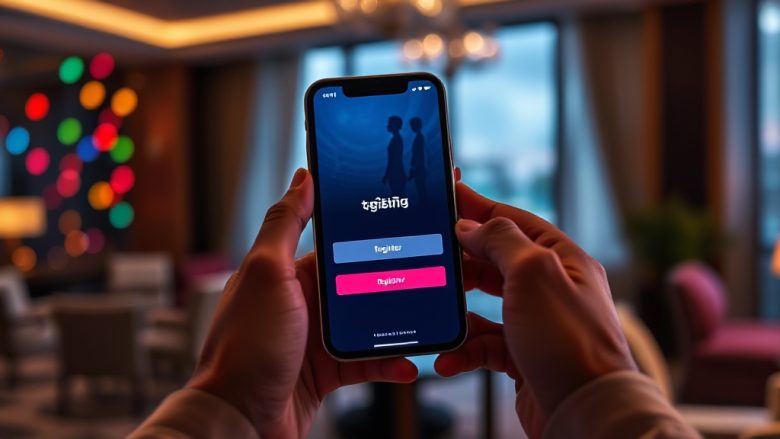
Bangla First, English Interface: Navigating tk999
The first English word a Bangla-first reader meets on tk999 is usually “Register” or “Login”, sitting at the top right of the screen. It is a small word, but it causes a half-second pause: the reader knows what it means, yet the brain has to switch scripts before the finger moves. That tiny hesitation sets the tone for the rest of the platform, which is built in English even though most of its users think in Bangla.
This walk-through is for those readers. It follows the parts of the tk999 interface that a Bangla-first user has to decode, one section at a time, with notes on what each label actually asks you to do. The goal is not to translate every word but to make the English-heavy layout feel familiar enough that navigation stops being a chore.
The first screen: registration and login labels
The top bar is where the script switch happens first. On tk999, the two buttons that matter most are Register and Login. A Bangla-first reader can treat them as a pair: Register means creating a new account, Login means returning to an existing one. Nothing else on that bar needs attention before you pick one.
Once you tap Register, the form introduces a second layer of English. Fields like Username, Password, and Confirm Password appear, along with a phone number field that expects the Bangladeshi country code. The word “Confirm” is the one that trips people up most often, because it looks like a separate action rather than a repeat of the password above it.
What each field is really asking
- Username — the name you will type at login; it does not have to be your real name.
- Password — your private key; keep it out of shared notes.
- Confirm Password — type the same password again so the system knows you did not mistype it.
- Phone number — used for verification and, on many platforms, for account recovery.
- Referral code — optional; skip it if you do not have one.
A useful habit is to read the form from bottom to top after filling it, because the submit button at the end is usually labelled Submit or Create Account, and seeing it last confirms you have not missed a field above.
Menus and navigation: where the English gets dense
After login, the main menu is the next decoding task. On tk999 the navigation is organised around a few broad English words: Sports, Casino, Promotions, and Account. A Bangla-first reader does not need to translate these into Bangla in their head; it is faster to attach each word to a mental picture — Sports means matches and odds, Casino means table and slot games, Promotions means bonuses, Account means settings and history.
The density increases inside each section. Sports pages use terms like Live, Upcoming, Markets, and Odds. Live means happening now, Upcoming means later today or this week, Markets means the different things you can pick, and Odds means the number that shows the payout. Recognising these four words removes most of the confusion on the sports side.
Common menu words and what they do
| English label | What it does |
|---|---|
| Home | Returns to the main dashboard |
| Sports | Opens match lists and betting markets |
| Casino | Opens slot and table games |
| Promotions | Lists bonuses and offers |
| Account | Profile, balance, and transaction history |
| Support | Help channel, often chat-based |
One practical tip: the menu labels stay in the same place across the mobile app and the browser version, so learning them once on the phone carries over to the desktop layout. That consistency is more helpful than it sounds for readers who are still building English vocabulary around gaming terms.
Reading a betting screen without translating every word
The betting screen is where English feels most technical, but it is also the most repetitive. A typical match page on tk999 shows two team names, a list of markets, and a column of numbers. The team names are usually recognisable from football or cricket coverage, so the reader already knows who is playing. The numbers are odds, and the small buttons beside them are the actual selections.
The words that need attention are Bet Slip, Stake, and Place Bet. The bet slip is the panel that collects your selections; the stake is the amount you are putting in; place bet confirms the wager. Once a reader connects these three labels to the three actions, the screen stops looking like a wall of English and starts looking like a form with a predictable order.
A short reading order for new users
- Check the match name at the top of the page.
- Scan the market labels — the first one is usually the main result market.
- Pick an outcome and confirm it appears in the bet slip.
- Type the stake amount in the box.
- Read the potential return shown below the stake before pressing place bet.
Reading in this order prevents the most common mistake, which is pressing place bet before checking that the stake box contains the amount you intended. The confirmation screen that follows is also in English, and it usually repeats the stake and the potential return in two separate lines.
Payments, account settings, and support in English
The account area is where English becomes administrative rather than game-related, and that is often harder for Bangla-first readers. Labels like Deposit, Withdraw, Transaction History, and Verification appear here. Deposit means adding money, Withdraw means taking it out, Transaction History is the list of past movements, and Verification is the identity check some platforms require before withdrawals.
Payment pages usually name the method rather than describe it, so a reader may see labels such as bKash, Nagad, or Rocket alongside a generic Bank Transfer option. These are familiar names in Bangladesh, which makes this section easier than the betting screen. The important English word here is minimum, which appears beside the deposit amount and tells you the smallest amount the platform accepts.
Support and self-help labels
The support section is often overlooked until something goes wrong, but it is worth a look early. Common labels include FAQ, Live Chat, Contact Us, and Responsible Gaming. FAQ is a list of common questions, Live Chat opens a chat window, Contact Us gives email or form options, and Responsible Gaming links to limits and self-control tools. Knowing these four labels in advance saves time during a stressful moment.
A small but useful habit is to keep the app language setting in mind. Some platforms offer a language toggle in the account menu; if tk999 shows one, switching to Bangla for menus while keeping English for game terms can make the interface feel much more natural. If no toggle is visible, the workaround is simply to learn the recurring labels, because the platform reuses the same vocabulary across screens.
Building confidence with the interface over time
The English-heavy layout of tk999 becomes less intimidating after the first week, mainly because the vocabulary is small and repetitive. A reader who learns roughly twenty labels — register, login, deposit, withdraw, stake, odds, market, bet slip, promotions, account — can move through most of the platform without pausing. The remaining words are usually game names or team names, which are not really English at all.
It also helps to treat the interface as a fixed map rather than a text to be read. The buttons stay in the same corners, the bet slip always opens on the same side, and the account menu always hides the same options. Once the map is in your head, the language becomes secondary. For a Bangla-first reader, that shift — from reading every word to recognising positions — is the moment the platform starts to feel usable rather than foreign.
Finally, keep expectations realistic. No English-heavy platform will ever feel exactly like a Bangla-first app, and that is fine. The aim is comfort, not fluency. A reader who can register, deposit, place a selection, and find support without guessing has already decoded the parts of tk999 that matter most.
Frequently asked questions
Is tk999 available in Bangla?
The interface is primarily in English, and there is no guarantee of a full Bangla translation. Some users manage by learning the recurring labels rather than waiting for a language toggle.
What does “Confirm Password” mean during registration?
It means typing the same password a second time so the system can check that you did not mistype it. If the two entries do not match, the form will usually show an error in English.
Which English words should a new user learn first?
Start with register, login, deposit, withdraw, stake, odds, bet slip, and place bet. These cover the actions a new user performs most often.
Where can I find help if I do not understand a label?
Look for the Support or FAQ link in the menu. Live Chat, where available, is usually the fastest route for a quick clarification.